Tag Archive

How to Detect and Repair Disk Errors on your Windows PC

Published on September 19, 2011 By Michael Garrett

While many Windows users have only heard of the Disk Cleanup and Disk Defragmenter tools to optimize computer performance, there is still yet another tool built-in to the Windows operating system that you can use. Microsoft’s Error Checking utility checks the integrity of the files stored on your hard drive and will attempt to automatically [...]

Get ready for faster boot times with Windows 8

Published on September 14, 2011 By Michael Garrett

In recent weeks more and more information has slowly become available regarding the highly anticicapted, yet-to-be-released Windows 8 operating system. From the positive first impressions it has set to news that the blue screen of death has been redesigned, Windows 8 is set to radically change the way Microsoft’s flagship OS is perceived. Now, in [...]

How to use ReadyBoost in Windows 7 to speed up your PC

Published on September 12, 2011 By Michael Garrett

If you are running Windows 7 on your PC, and you have an unused USB flash drive, then you can use ReadyBoost to speed up your system.  Using a fairly new concept, ReadyBoost, allows you to use flash memory—like a USB flash drive or a memory card—to virtually add system memory and improve performance without [...]

Fix Software Install/Uninstall Problems with Microsoft’s New Utility

Published on August 18, 2011 By Michael Garrett

If you have been experiencing issues with installing or uninstalling software on your Windows computer, your solution may now be in sight. Microsoft has now released a Fix-It to diagnose problematic installing and uninstalling issues. Although it is usually not a problem to install or uninstall most Windows software, problems can occur during this process, [...]
Windows is Now More Secure Than You Think

Published on August 12, 2011 By Michael Garrett

You hear it all the time. It’s almost considered common knowledge that Microsoft’s Windows operating system is insecure, unsafe, and an easy target for hackers. But now, according to renown security firm Kaspersky Lab, that conventional wisdom is just plain wrong. In their latest quarterly malware report, Kaspersky Lab’s discovered that none of the top [...]

Microsoft Warns NOT to Disable UAC in Windows 7, Vista

Published on August 11, 2011 By Michael Garrett

Many users of Windows Vista and Windows 7 are familiar with the User Access Control (UAC) feature. You know… that annoying popup that asks for your permission before completing nearly any task that involves modifying system files or installing software. So many users find it so repetitive and annoying in fact, that there are help [...]

7 Reasons to Upgrade to Windows 7

Published on August 1, 2011 By Michael Garrett

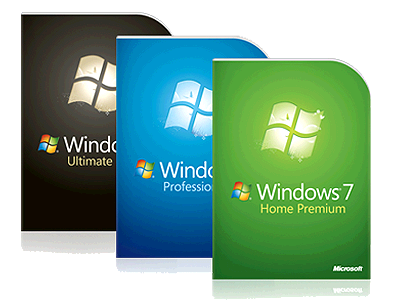
Though it is hardly a “Brand New” operating system, having been released in October 2009, many PC users still have not made the upgrade to Windows 7, for various reasons. If you are still running Windows Vista or Windows XP on your computer, here are 7 reasons why you should upgrade to the latest release, [...]

Common Windows 7 Keyboard Shortcuts

Published on July 25, 2011 By Michael Garrett

Those of you who must use a computer every day are surely aware of how time-consuming many computer operations can be. Clicking through various application windows and program menus can easily become as confusing as the task you are trying to accomplish. To make the use of your computer much easier, Microsoft provides many keyboard [...]

3 Fixes for Windows 7 Folder Annoyances

Published on July 13, 2011 By Alan Okpechi

Compared to the barrage of complaints and insults aimed at Microsoft’s previous operating system, Vista, Windows 7 has shed a new light of hope for Microsoft. Although Windows 7 has garnered much more positive reviews than it’s predecessor, these are a few quick fixes you may want to perform for a better user experience.

How to Set Windows Vista to Automatically Install Updates

Published on July 12, 2011 By Alan Okpechi

Windows Update is a Microsoft service that provides updates for Windows Vista and its installed components on your computer. Many different kinds of updates can be installed, from security updates to critical system updates that protect against newly discovered malware and system exploits. These updates can provide significant benefits to system security and reliability. You can [...]